





 Talebound Talent Calculator
On this page, we explain how to easily play Marksmanship Hunter in World of Warcraft Patch 12.1.5, using the simplest rotation, talent tree, stat priority, gear setup, etc., without sacrificing performance.
The Basics of Marksmanship Hunter
This section is intended for players who are new to the game or class, have no intentions of raiding Mythic difficulty, or simply want a more straightforward way to play their specialization without being overwhelmed by the numerous priorities and active abilities that need to be taken into consideration for optimal play.
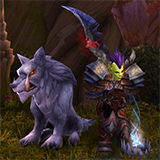
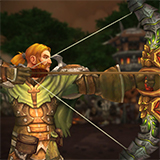
Marksmanship is perfect for those who enjoy the sniper playstyle, equipped with a longer range than most specs and tons of bursty AoE damage.
Marksmanship's core loop is to generate  Precise Shots via your
primary, hard-hitting abilities like
Precise Shots via your
primary, hard-hitting abilities like  Aimed Shot and
  Rapid Fire,
and then spending those Precise Shots on either
Rapid Fire,
and then spending those Precise Shots on either  Arcane Shot
(single-target),
Arcane Shot
(single-target),  Multi-Shot (3+ targets, or 2+ with
 Aspect of the Hydra), or
  Black Arrow
(constantly when playing the
Black Arrow
(constantly when playing the  Dark Ranger Hero Talent). Aside from this
loop, you have a filler for Focus and Aimed Shot cooldown reduction in
Dark Ranger Hero Talent). Aside from this
loop, you have a filler for Focus and Aimed Shot cooldown reduction in
 Steady Shot, and other abilities that are basically just used on
cooldown like
Steady Shot, and other abilities that are basically just used on
cooldown like  Explosive Shot and
  Volley.
Here are two quick rules of thumb that will help you when navigating the
spec.
Volley.
Here are two quick rules of thumb that will help you when navigating the
spec.
 Spend All of Your Precise Shots
Every single Aimed Shot and Rapid Fire is going to grant
Precise Shots, and we want to spend all of these Precise Shots procs
before we cast another Aimed Shot. Spend them on Arcane Shot, or on
Multi-Shot when you have more than one target. Spend them before Rapid Fire
as well, unless Trueshot is up. Always be Casting
Casting as many abilities as possible matters more than pressing the perfect button every time, and dead time is the single biggest thing holding most players back from their DPS goals. Steady Shot is how you fill it, and
it is castable while moving, so there is no excuse for a dead global.


Beginner's Guide to Marksmanship Hunter in Midnight
 Sentinel
Single-Target Talents
SentinelDungeon Talents
Single-Target Talents for Marksmanship Hunter
This build is our best Sentinel single-target build.
Be sure to make use of the 'Export Talents' button to import the best build directly into your game!
Dungeon Talent Build for Marksmanship Hunter
This is the optimal Sentinel build for Mythic+, and
other AoE-focused content. It is based on simulating the conditions found in
real Mythic+ dungeons and seeing not just what does the most DPS, but what
actually clears the dungeon quicker in a group. There are builds that do more
AoE, but they all lose more single-target than they gain in terms of AoE, and
vice versa.
Marksmanship Hunter Utility Talent Considerations
- Your "flexible" Talent points are, in our recommended order of most
disposable:
 Kodo Tranquilizer
 Emergency Salve is only useful in certain dungeons, and is worthless
in others.
Emergency Salve is only useful in certain dungeons, and is worthless
in others.
Be sure to make use of the 'Export Talents' button to import the best build directly into your game!
Basic Rotation for Marksmanship Hunter
Treat this as a priority list of the most important spells to cast. When in doubt, simply cast the highest priority spell. You should aim to have no "downtime" in your rotation. It is better to cast the wrong spell immediately than to "think" for 1 second and then cast the right spell. As you improve, this priority should become second nature to you.
- Cast Explosive Shot.
- Cast Volley. Make sure to place it
well for optimal AoE coverage.
- Cast
 Trueshot whenever available. It is your primary cooldown,
and it primarily increases the damage of your abilities, specifically
the number of Aimed Shots and Rapid Fires you can cast while
it is active. Use it right before you intend to cast Rapid Fire. When
the
Trueshot whenever available. It is your primary cooldown,
and it primarily increases the damage of your abilities, specifically
the number of Aimed Shots and Rapid Fires you can cast while
it is active. Use it right before you intend to cast Rapid Fire. When
the  Bullseye Talent is used, which is basically all the time, try to
save your last Trueshot of the fight for when the target is below 20% HP.
Bullseye Talent is used, which is basically all the time, try to
save your last Trueshot of the fight for when the target is below 20% HP. - Cast
 Kill Shot to spend Precise Shots below 20% target
health.
Kill Shot to spend Precise Shots below 20% target
health. - Cast Arcane Shot with Precise Shots. This is indicated by
the blue arrow graphic around your character, and always procs after every
single Aimed Shot and Rapid Fire. On 3 targets and above, cast
Multi-Shot instead, or on 2 and above with
Aspect of the Hydra.
- Cast Rapid Fire.
- Cast
 Moonlight Chakram. This ability replaces your Trueshot
button once Trueshot is activated, and can be used once. It grants you an
instant Aimed Shot, generally fired right afterwards.
Moonlight Chakram. This ability replaces your Trueshot
button once Trueshot is activated, and can be used once. It grants you an
instant Aimed Shot, generally fired right afterwards. - Cast Aimed Shot.
- Cast Steady Shot as a filler when you can do none of the above.
Apex Talent:  Take Aim
 Take Aim
Your Apex Talents have no impact on how you play. They just increase your damage passively and are best taken advantage of by doing the "baseline" rotation as described above.
Season 2 Tier Set
The Midnight Season 2 Tier Set has a subtle impact on our rotation. It will
extend the duration (and therefore the damage) of your Explosive Shot,
and cause those ticks to reduce the cooldown of Aimed Shot and
Rapid Fire by 0.5s per tick. On two or more targets, since
 Unstable Trigger gives you two Explosive Shots back-to-back, we prefer to
cast them on two different targets (unless there is a priority target up),
because we want to maximize this cooldown reduction effect. The damage is the
same as if we cast both on 1 target, but because the cooldown reduction scales
with the number of ticks, it is better to spread them out.
Unstable Trigger gives you two Explosive Shots back-to-back, we prefer to
cast them on two different targets (unless there is a priority target up),
because we want to maximize this cooldown reduction effect. The damage is the
same as if we cast both on 1 target, but because the cooldown reduction scales
with the number of ticks, it is better to spread them out.
Defensive Spells for Marksmanship Hunter
 Exhilaration is your primary self-heal with a 1-minute cooldown. Use
this when you drop below 50% HP to help out your Healer!
Exhilaration is your primary self-heal with a 1-minute cooldown. Use
this when you drop below 50% HP to help out your Healer!
 Aspect of the Turtle is your immunity. It can be used to completely
negate the damage and effects of most spells targeted on you. Use it if you are
assigned to, or in a pinch if you worry that an upcoming mechanic will kill you!
It is also a 30-50% damage reduction, though it is not so commonly used for
simple damage reduction purposes.
Aspect of the Turtle is your immunity. It can be used to completely
negate the damage and effects of most spells targeted on you. Use it if you are
assigned to, or in a pinch if you worry that an upcoming mechanic will kill you!
It is also a 30-50% damage reduction, though it is not so commonly used for
simple damage reduction purposes.
 Survival of the Fittest is our most powerful defensive besides
Turtle, a 30-40% damage reduction with 2 charges on a 1.5-minute cooldown each.
Use it to reduce damage taken from hard-hitting mechanics. Optimal use of this
ability entails using it proactively, before heavy incoming damage.
Survival of the Fittest is our most powerful defensive besides
Turtle, a 30-40% damage reduction with 2 charges on a 1.5-minute cooldown each.
Use it to reduce damage taken from hard-hitting mechanics. Optimal use of this
ability entails using it proactively, before heavy incoming damage.
 Feign Death is a very unique Hunter ability. It can be used to drop
aggro and combat, and it can also be used to stop casts on you. Mobs will
usually stop casting mid-cast if you appear to be dead! With the
Emergency Salve Talent, it will also dispel all Poison and Disease
effects from you.
Feign Death is a very unique Hunter ability. It can be used to drop
aggro and combat, and it can also be used to stop casts on you. Mobs will
usually stop casting mid-cast if you appear to be dead! With the
Emergency Salve Talent, it will also dispel all Poison and Disease
effects from you.
Stat Priority for Marksmanship Hunter
The general stat priority for a Marksmanship Hunter is seen below. For more information on what's presented on this page, check out our main Stat Priority page.
Crit is our strongest stat, with Mastery close behind. In a perfect world, every item you own has Crit on it, with Mastery as its second stat.
Versatility is clearly behind Mastery.
Combat Assistant & One-Button Mode
The game offers the option of an in-game "Combat Assistant", which has two modes: a Rotation Helper that will suggest spells to cast next, and a "One-Button Mode", that automatically performs this rotation for you if you simply press one button repeatedly.
These tools can be worthwhile for beginners, as they provide a reasonable "minimum" level of performance. For Marksmanship Hunter, using just the Rotation Helper is a ~6-10% DPS loss compared to playing perfectly (which almost nobody does). Using the one-button mode on top of it takes the total loss to ~13-15%.
Obviously, peak performance cannot be obtained using these tools, but it is something worth considering if you are happy to take the DPS losses above for the sake of ease of play. Do not let anyone in-game or on a forum or Discord tell you that there is something inherently wrong with using these tools! Blizzard created them for a reason, and the game is about having fun, whatever that means for you.



Changelog
- 12 Oct. 2026: Updated for Patch 12.1.5.
- 22 Aug. 2026: Rapid Fire no longer needs Precise Shots spent first.
- 10 Aug. 2026: Updated for Patch 12.1.
- 16 Jul. 2026: Added Trueshot to the beginner priority list.
- 15 Jun. 2026: Reviewed for Patch 12.0.7.
- 20 Apr. 2026: Reviewed for Patch 12.0.5.
- 16 Mar. 2026: Updated for Midnight Season 1.
- 26 Feb. 2026: Updated for Midnight 12.0.1.
- 10 Feb. 2026: Updated for Midnight Pre-Patch.
- 30 Nov. 2025: Reviewed for Patch 11.2.7.
- 05 Oct. 2025: Reviewed for Patch 11.2.5.
- 27 Aug. 2025: Simplified the Rotation further.
- 04 Aug. 2025: Updated for Patch 11.2.
- 15 Jun. 2025: Updated for Patch 11.1.7.
- 21 Apr. 2025: Reviewed for Patch 11.1.5.
- 25 Mar. 2025: Updated for March 25 Updates.
- 24 Feb. 2025: Updated for Patch 11.1.0.
- 15 Dec. 2024: Updated for Patch 11.0.7.
- 30 Oct. 2024: Updated for October 29 Hotfixes.
- 22 Oct. 2024: Updated for Patch 11.0.5.
- 09 Sep. 2024: Preliminary updates for The War Within Season 1.
- 22 Aug. 2024: Updated for The War Within.
- 23 Jul. 2024: Updated for The War Within Pre-Patch.
- 07 May 2024: Reviewed for 10.2.7.
- 22 Apr. 2024: Updated for Season 4.
- 19 Mar. 2024: Reviewed for Patch 10.2.6.
- 14 Feb. 2024: Updated the recommended default Mythic+ Talent Build.
- 15 Jan. 2024: Updated for Patch 10.2.5
- 06 Nov. 2023: Updated for Patch 10.2
- 04 Sep. 2023: Reviewed for Patch 10.1.7
- 10 Jul. 2023: Updated for Patch 10.1.5.
- 27 Jun. 2023: Updated the Talent Builds.
- 04 May 2023: Updated the recommended AoE Talent Build. This is likely a temporary change, until the new Tier Set becomes more widespread.
- 01 May 2023: Reviewed for Patch 10.1.
- 20 Mar. 2023: Reviewed for Patch 10.0.7.
- 24 Jan. 2023: Updated the page for relevant changes in Patch 10.0.5.
- 17 Jan. 2023: Updated the recommended Single-Target Talent Build.
- 23 Dec. 2022: Talent updates.
- 11 Dec. 2022: Updated for Dragonflight Season 1.
- 28 Nov. 2022: Updated for Dragonflight launch.
- 24 Oct. 2022: Updated for Dragonflight pre-patch.